
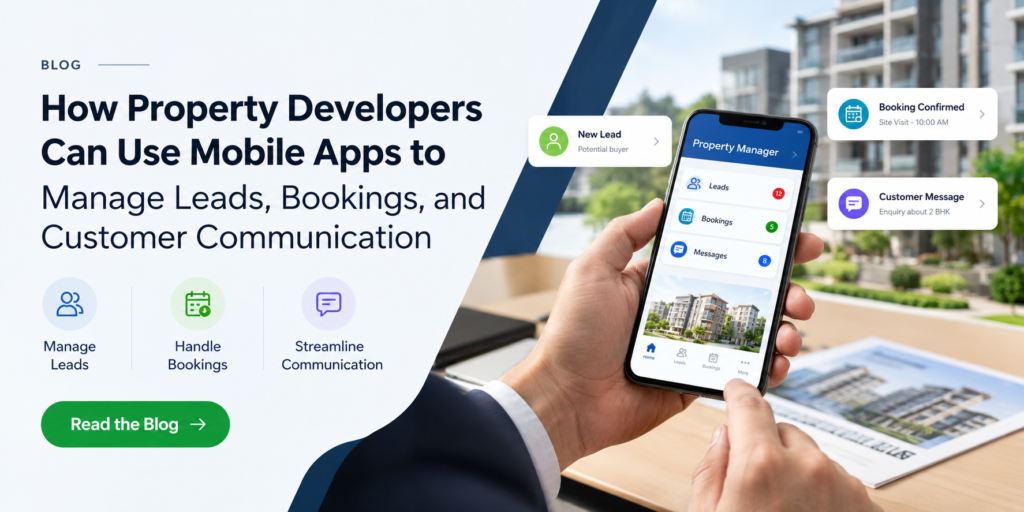
A buyer enquires through a portal on Monday, gets a call back on Thursday, and arranges a site visit over a chat thread on Saturday. By then, some of the interest has cooled. Real estate developers deal with long sales cycles, many touchpoints, and high-value decisions, yet much of the process still runs on spreadsheets, phone calls, and scattered messages.
A mobile app can bring those threads together for both the sales team and the buyer. Building one takes careful planning and the right technical expertise, which is why many developers partner with a Real estate software Development Company or specialist property app developers. This article covers what such an app should do for leads, bookings, and customer communication, how it connects with your existing systems, and what to consider before you build.
Key Takeaways
- A mobile app gives developers a direct, owned channel for leads, bookings, and buyer communication.
- Unified lead capture and routing fixes the most common leak in the sales process.
- Live unit availability is essential before you offer in-app reservations.
- Integration with your CRM, payments, and property management systems matters as much as the app’s interface.
- Relevant, segmented notifications keep buyers engaged; too many push them away.
- A focused first release, then steady improvement, works better than launching everything at once.
Why Developers Are Moving to Mobile Apps
A mobile app gives a property developer a direct channel to prospects and buyers that the developer owns. Portals, ads, and third-party messaging apps all sit between you and the customer. An app does not.
It also helps both sides:
- Buyers get self-service access to availability, bookings, documents, and updates.
- Sales teams get a mobile view of leads and schedules while they are on site or at a sales gallery.
- Management gets one source of truth for enquiries, reservations, and communication history.
Where an App Fits in the Buyer Journey
| Stage | Common problem | What the app can do |
|---|---|---|
| Enquiry | Leads scattered across portals, forms, and calls | Capture in-app enquiries and route them to the right salesperson |
| Site visit | Endless back-and-forth on scheduling | Let buyers pick a slot and send automatic reminders |
| Reservation | Paper forms and slow confirmations | Digital booking flow with document upload and status tracking |
| Construction | Buyers chasing for progress news | Share updates, photos, and announcements |
| Handover and after-sales | Support requests lost in email | Ticketing for snagging and service requests |
Managing Leads Inside the App
Capture and routing
Every enquiry made through the app should land in one place, tagged with its source and the unit or project the buyer viewed. Routing rules can then assign each lead by project, language, or salesperson availability, so nobody waits in a shared inbox.
Follow-up and visibility
Speed and consistency win deals, so build follow-up into the workflow:
- Reminders for sales staff when a lead has gone quiet
- Status stages such as new, contacted, visited, reserved, and closed
- A history of what the buyer browsed, saved, and asked about
The salesperson who calls back then knows which units interested the buyer, and the call feels informed rather than generic.
Handling Bookings and Reservations
Site visits
Let buyers book visits from a calendar showing real availability. Sync it with your team’s calendars to avoid double-booking, and send reminders before the visit and a follow-up afterward.
Unit reservations
If you take reservations in the app, live unit availability is essential. Two buyers reserving the same unit is a costly mistake, and it only takes one outdated inventory sheet. The app should read availability from a single system and update it the moment a reservation is confirmed.
Payments and documents
For booking deposits, use an established payment gateway and let it handle card data rather than storing anything yourself. For agreements, digital signing can shorten the process, though legal acceptance of e-signatures varies by jurisdiction, so confirm what applies to your markets.
Customer Communication That Buyers Actually Want
Push notifications, in-app chat, and announcement feeds give you channels that do not depend on inbox filters. They work best when they are relevant:
- Booking confirmations and reminders
- Payment schedule notices
- Construction milestones and progress photos
- Document requests and shared files
- Handover and after-sales updates
Segment messages by project and buyer stage. Someone who reserved a unit does not need the same messages as someone still comparing options. Also avoid over-notifying, since users who feel spammed switch notifications off and you lose the channel. Keep email or SMS as a fallback for critical messages, because not every buyer will enable push.
Connecting the App to Your Wider Systems
An app that sits alone creates more manual work. Plan integrations with:
- Your CRM, so leads and status changes stay in sync
- Calendars, for visit scheduling
- Payment gateways and accounting tools
- Email and messaging services
Developers who keep or manage completed projects have another layer to consider. After handover, the conversation shifts from selling to operating: rent, maintenance requests, and tenant communication. Many of these businesses already run property management systems, and the app should connect to them so information does not have to be entered twice.
There is a build-versus-buy decision here. Off-the-shelf property management software covers common workflows well, while a custom app layer makes sense when you want a branded buyer experience or need features standard tools lack. Often the practical answer is both: existing software for property management handles operations, and the app becomes the customer-facing front end.
Security and Privacy Basics
Buyer data is personal and often financial, so treat security as a design requirement from day one:
- Role-based access, so staff see only what their job needs
- Encryption for data in transit and at rest
- Clear consent for data collection and messaging
- Compliance with the privacy rules in your markets, such as GDPR where it applies
Planning the Build
- Map the buyer journey. Identify where leads leak and where buyers get frustrated.
- Prioritize a first release. Enquiry capture, visit booking, and notifications usually give the fastest return. Reservations, payments, and ticketing can follow.
- List your integrations. Confirm which systems the app must read from or write to.
- Design for both audiences. The buyer app and the sales team’s tools have different needs.
- Test with real users and iterate. Sales staff and a few real buyers will find problems quickly.
Choosing a Development Partner
When you talk to property app developers, ask practical questions that go beyond design and development. Have they built apps with CRM, payment, property listing, booking, or third-party integrations? How do they handle security, data protection, user authentication, and compliance? Can they show comparable real estate or PropTech projects they have completed?
If you’re looking for a PropTech development solution in USA, it’s also important to understand whether the development team has experience building solutions for the U.S. real estate market and its unique business requirements. Ask how they approach scalability, cloud infrastructure, API integrations, and data security as your user base grows.
You should also discuss what happens after launch. Does the development company provide regular updates, bug fixes, performance monitoring, security enhancements, and ongoing technical support? A reliable development partner should be able to support your app beyond its initial launch.
Finally, ask whether they recommend native or cross-platform development for your target audience and, more importantly, why. The right technology approach should align with your budget, performance expectations, target devices, and long-term business goals. Choosing an experienced PropTech development partner like Trisha Global Tech can help you build a secure, scalable, and user-friendly property app that delivers value to both businesses and customers.
Common mistakes
- Launching with too many features and none polished
- Ignoring integration until late in the project
- Sending too many notifications
- Treating the app as a one-time project instead of a product that needs upkeep
Frequently Asked Questions
Q 1. How can a mobile app help property developers manage leads?
Ans: It captures enquiries in one place, tags them by source and project, routes them to the right salesperson, and tracks status through each stage. Sales teams can also see what a buyer browsed before they follow up.
Q 2. Can a mobile app handle property bookings and site visit scheduling?
Ans: Yes. Buyers can pick visit slots from a live calendar, receive reminders, and reschedule. The same booking flow can extend to unit reservations, provided the app reads real-time availability from your inventory system.
Q 3. What features should a real estate developer’s app include?
Ans: Start with enquiry capture, visit booking, push notifications, and a project or unit browser. Add reservations, payments, document sharing, construction updates, and support ticketing as the app matures.
Q 4. Is a mobile app better than a website for property developers?
Ans: They serve different purposes. A website helps people discover you. An app suits repeat interaction: bookings, updates, documents, and support. Many developers use both, with the website bringing people in and the app retaining them.
Q 5. How does a property app integrate with a CRM?
Ans: Through APIs. Leads captured in the app are pushed to the CRM, and status changes flow back so the sales team and the buyer see consistent information. Your CRM’s API capabilities determine how deep the integration can go.
Q 6. Can a property app accept booking deposits securely?
Ans: Yes, through an established payment gateway that processes card data on its own secure infrastructure. The app should not store raw card details itself. Compliance requirements depend on the gateway and your markets.
Q 7. What is the difference between property management software and a developer sales app?
Ans: Property management software runs operations such as rent, leases, and maintenance. A developer sales app supports the selling stage: leads, visits, reservations, and buyer communication. The two can be integrated so data moves between them.
Q 8. How do you keep buyers engaged during construction?
Ans: Share regular, specific updates such as milestones, progress photos, and payment reminders through push notifications and an update feed. Segment messages by project so buyers only see what concerns their purchase.
Q 9. Should a property app be native or cross-platform?
Ans: Cross-platform frameworks can reduce build effort when you need iOS and Android together. Native development can suit apps needing deep device features. The right choice depends on your feature list, budget, and timeline.
Q 10. What should I look for when hiring a team to build a property app?
Ans: Look for experience with integrations, a clear approach to security and data privacy, examples of comparable work, and a defined plan for post-launch support. Ask how they would handle a first release before expanding features.
Conclusion
A well-planned mobile app can turn scattered enquiries, manual bookings, and inconsistent customer updates into a streamlined process that both your sales team and buyers can easily follow. By bringing lead management, property bookings, follow-ups, notifications, and customer communication into one platform, property developers can save time while creating a more organized customer experience.
The best approach is to start with the areas of your sales and customer journey where your team loses the most time. From there, you can connect the app with your existing CRM, website, marketing platforms, or other business systems and gradually expand its capabilities as your requirements grow.
Choosing the right technology partner is equally important. A reliable Mobile App Development Company can help you plan the app architecture, design an intuitive user experience, integrate essential features, and develop solutions tailored to your real estate business.
If you are looking to build a mobile app for property sales, lead management, bookings, or customer communication, Trisha Global Tech offers mobile app development services for iOS and Android, along with solutions for real estate and PropTech businesses. Get in touch with our team to discuss your requirements and explore how a custom mobile app can help streamline your property business.